Common Mistakes Applicants Make in Climate Internship Phase-II Registration in July 2026

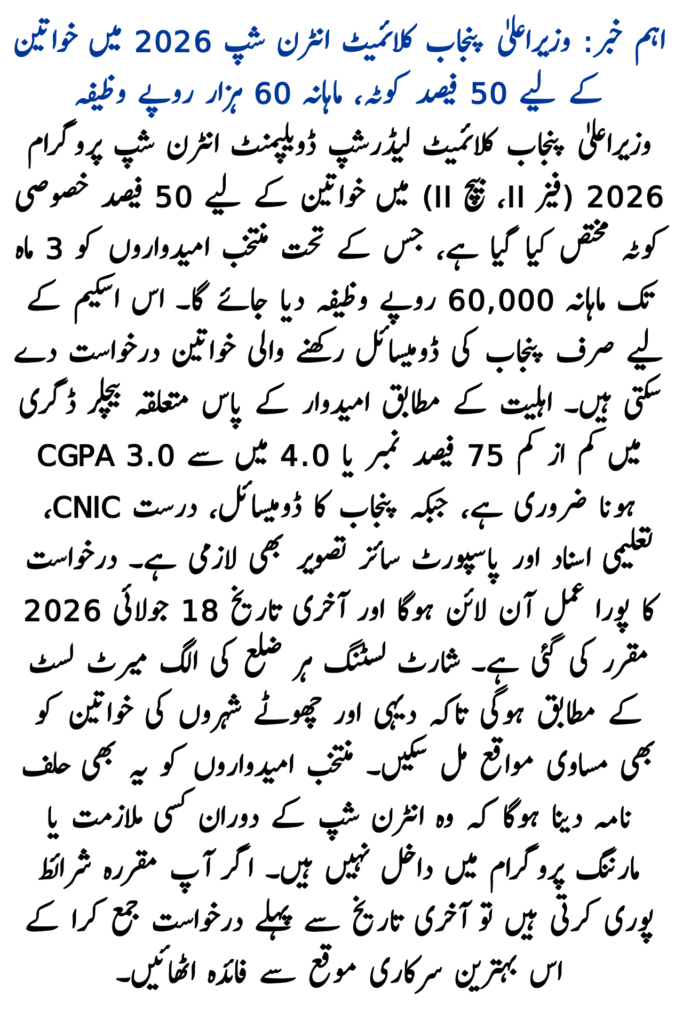
The CM Punjab Climate Leadership Development Internship Program 2026 (Phase-II, Batch-II) is one of the most highly anticipated government initiatives of the year. Offered by the Environment Protection & Climate Change Department (EPCCD), Punjab, this paid internship provides a monthly stipend of Rs. 60,000 over a 3-month duration to train the youth to combat winter smog, run environmental monitoring campaigns, and drive community outreach.
However, since the recruitment is heavily digitized, transparent, and district-quota oriented, hundreds of applications face instant algorithmic rejection. If you are applying through the official portal at epd.punjab.gov.pk/Climateinternship before the deadline of 18 July 2026, avoiding these procedural traps is critical.
Below is the definitive analysis of the Common Mistakes Applicants Make in Climate Internship Registration and how you can prevent them.
Top 10 Registration Mistakes & How to Prevent Them
1. Overlooking the Strict Academic Threshold (75% Marks or 3.0 CGPA)
Many applicants assume that a simple graduate status is enough to qualify. However, official criteria state that candidates must possess a minimum of 75% marks under the annual system, a 3.0/4.0 CGPA, or a 3.75/5.0 CGPA on their Bachelor’s degree.
- The Fix: Calculate your precise aggregate score from your final transcript before filling out the form. Rounding up manually or entering estimated marks will lead to instant disqualification during document vetting.
2. Disregarding the “No Current Enrollment or Employment” Clause
This program requires physical deployment, field reporting, and active community participation. A common mistake is trying to manage the internship alongside ongoing Master’s degree classes or part-time jobs.
- The Fix: Eligible applicants must be fully available. Shortlisted candidates are legally required to submit a signed affidavit confirming that they are not currently employed or enrolled in any educational program.
3. Outdated or Misaligned Age Matrix
While early phase generalized documents mention lower limits, the official 2026 portal locks the age metric between 20 and 27 years at the time of application.
- The Fix: Double-check your birth year on your NADRA CNIC. If you fall outside the 20–27 bracket, the system will filter your account out automatically.
4. Submitting Invalid or Inter-Provincial Domiciles
Seats are tightly distributed via a District-Wise Quota Allocation across Punjab to ensure regional equality. Uploading an out-of-province domicile (like Sindh or Islamabad ICT) or selecting a district that doesn’t match your permanent residency will flag your form.
- The Fix: Make sure your uploaded domicile is a clear, valid scan from a Punjab district and exactly matches the district profile you selected during registration.
5. Missing or Expired Email OTP Verification
During the registration setup, the portal transmits a mandatory One-Time Password (OTP) code to verify the user’s email address. Many applicants fail to complete this step because they use inactive emails or close the window too quickly.
- The Fix: Use an active, reliable Gmail address, keep the tab open, and check your Spam/Junk folders if the OTP code doesn’t appear in your main inbox within a few minutes.
6. Attempting Duplicate Account Creation
When encountering website lag close to the deadline, some users try to create a secondary account by adding spaces or hyphens to their CNIC numbers. The platform’s security framework treats duplicate CNICs as a critical violation.
- The Fix: One CNIC can only hold one registered profile. If you lose your login details, utilize the official “Forgot Password” wizard instead of starting a new profile.
7. Flawed File Compression & Illegible Scan Uploads
Uploading standard smartphone camera snapshots frequently fails due to file size restrictions. Conversely, compressing the files too heavily can make text like degree marks or CNIC numbers unreadable.
- The Fix: Use dedicated document scanning apps to output highly legible, flat document scans. Ensure the files are under the designated MB caps before uploading.
8. Incorrect Selection of Academic Discipline Category
Seats are explicitly partitioned into quotas: 60% for Environmental Sciences & Engineering, 20% for Business/IT/GIS, and 20% for Social Sciences, Arts & Humanities. Applicants often misclassify their degree to apply under a category with more seats.
- The Fix: Always pick the discipline grouping that strictly covers your major area of study as stated on your university degree. Misrepresentation results in rejection at the manual review phase.
9. Leaving the Application Status in “Draft” Mode
A surprisingly common error is completing all form inputs and saving the profile, but forgetting to finalize it. Unsubmitted drafts are ignored completely once the application window shuts.
- The Fix: Make sure to click the final “Submit Application” button. Log back in to confirm that your profile status has explicitly shifted to “Submitted” or “Under Review.”
10. Waiting Until the Last Date (18 July 2026)
Procrastinating until the absolute final day exposes you to portal crashes, slow database responses, or network timeouts due to extreme user traffic. Furthermore, initial shortlisting follows a highly competitive cadence.
- The Fix: Gather your scanned CNIC, Punjab domicile, degree transcripts, and passport photos now, and complete your submission well ahead of the deadline.
Step-by-Step Execution Checklist for Applicants
- Access: Head directly to the official portal link at epd.punjab.gov.pk/Climateinternship.
- Register: Provide your name (as on CNIC), gender, active mobile number, and your exact domicile district.
- Verify: Check your inbox/spam folder for the OTP code and active your account.
- Fill Academic Records: Provide detailed metrics for your institutional background, ensuring your marks align with the 75% or 3.0 CGPA floor.
- Upload: Attach clean, readable scans of your documents.
- Finalize: Review all fields for typographical or numerical errors, and submit before 18 July 2026.
For technical assistance, portal queries, or layout complaints during registration, you can dial the official provincial helpline at 1373.